
TNT SIM Registration
TNT SIM registration is required under Republic Act No. 11934. New users cannot
make calls, send texts, or access mobile data without registering their SIM.
Any SIM that remains unregistered will be deactivated.

Why Is SIM Registration Required?
According to Republic Act No. 11934, all SIM users—whether new or existing—are required to register their mobile numbers with their current telecommunications provider. The SIM Registration Act aims to protect users from various crimes committed using SIM cards, the internet, or electronic communication.
These crimes include, but are not limited to, terrorism, text scams, unsolicited, malicious, or obscene messages, bank fraud, libel, anonymous online defamation, trolling, hate speech, and the spread of digital disinformation or fake news.
How To Register TNT SIM?
There are 3 registration methods available below; however, TNT SIM registration through the official website is the primary and recommended option.
TNT Registration Through Website
Step-by-step guide—read carefully. Go to the TNT SIM registration site clicking the button below and or scan the QR Code.

- Enter the mobile number you want to register.
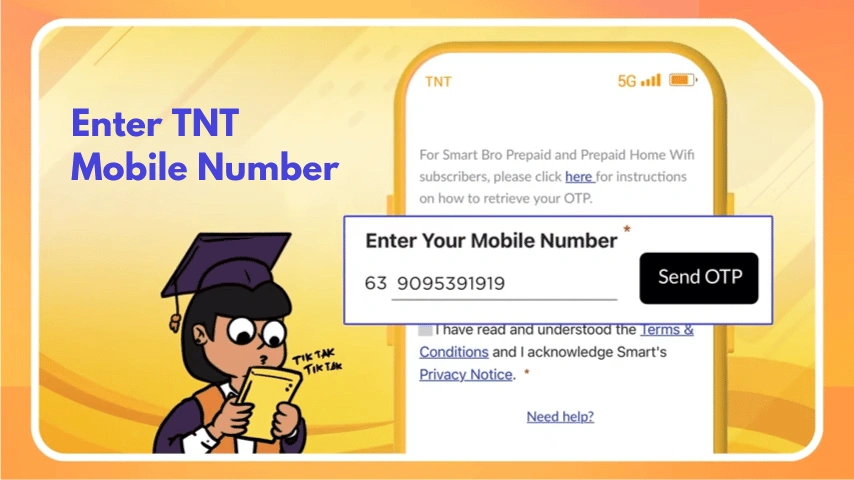
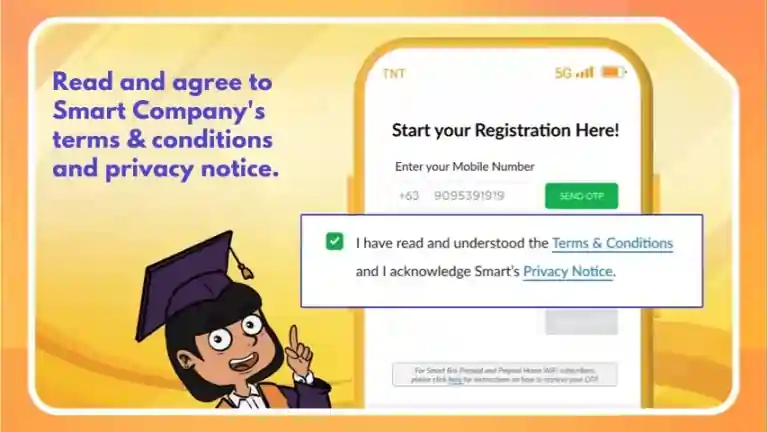
- Tick the box “I have read and understood the Terms and Conditions”.
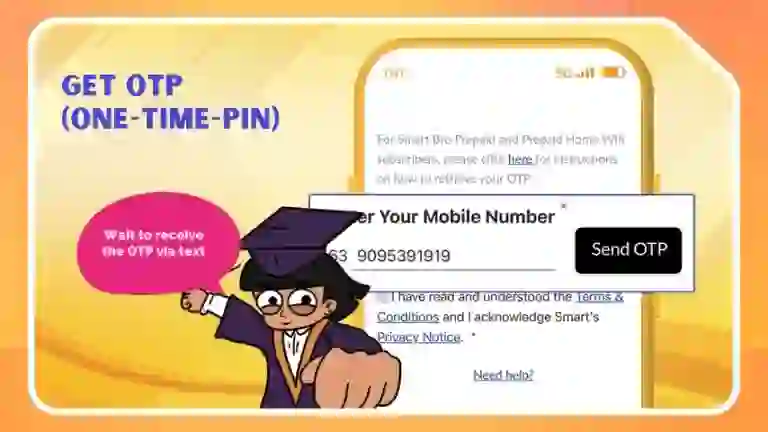
- Then click Send OTP.
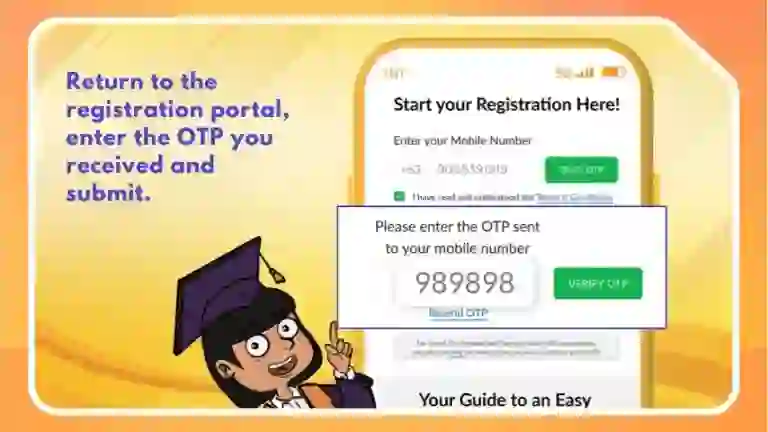
- Enter the OTP you received and click Verify OTP.
- After verification, the registration form will appear.
- Select the type of registration:
- Newly bought SIM
- SIM registration for a minor
- (Choose the option that applies to you.)
- Select your nationality.
- If you are living in the Philippines, choose “Philippines”.
- Choose the type of valid ID, choose from the list.
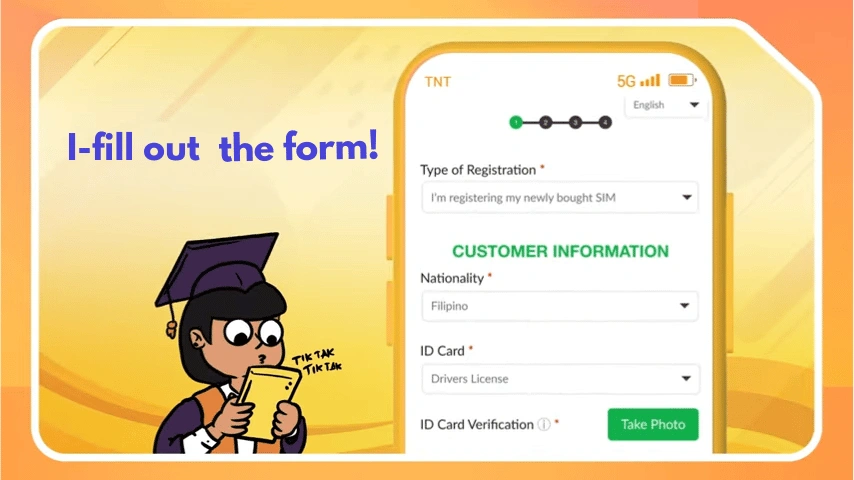
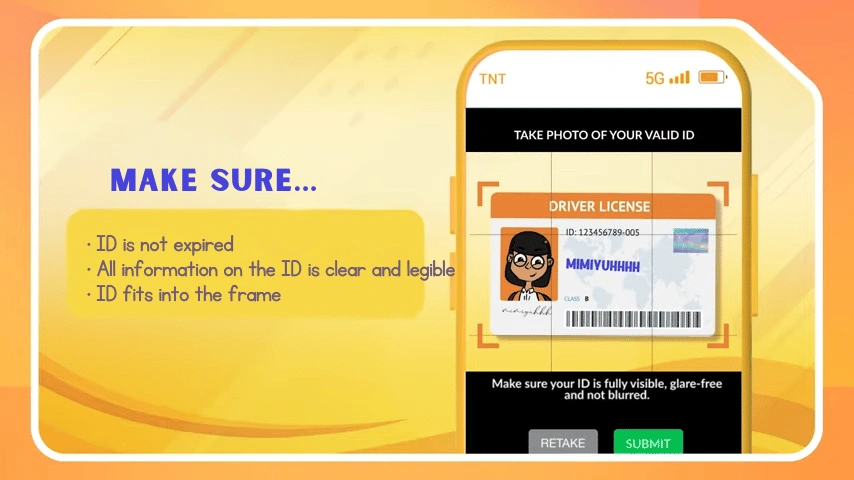
- Upload a clear photo of your valid ID. If you face any issues, see how to upload it properly.
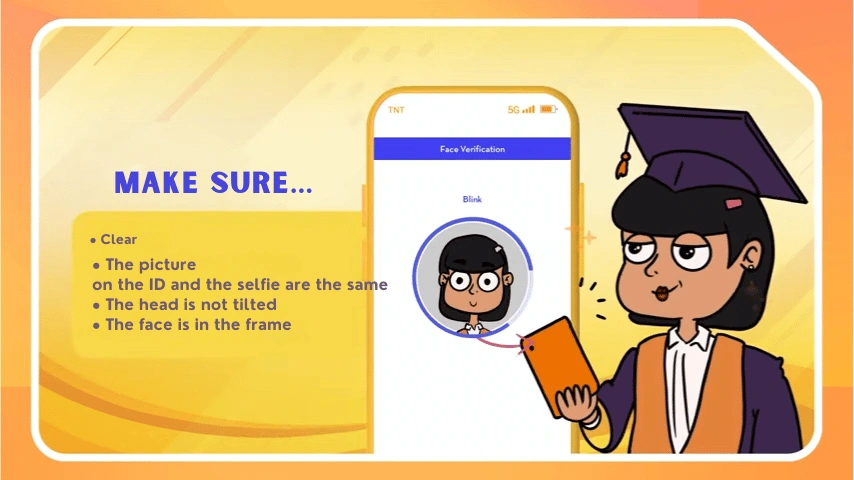
- Click Take Photo to capture your selfie for face verification.
- Make sure your face is clear.
- Once successfully captured, click OK, then click Next.
- Once uploaded, the system will automatically fill in the required information such as name and birthdate.
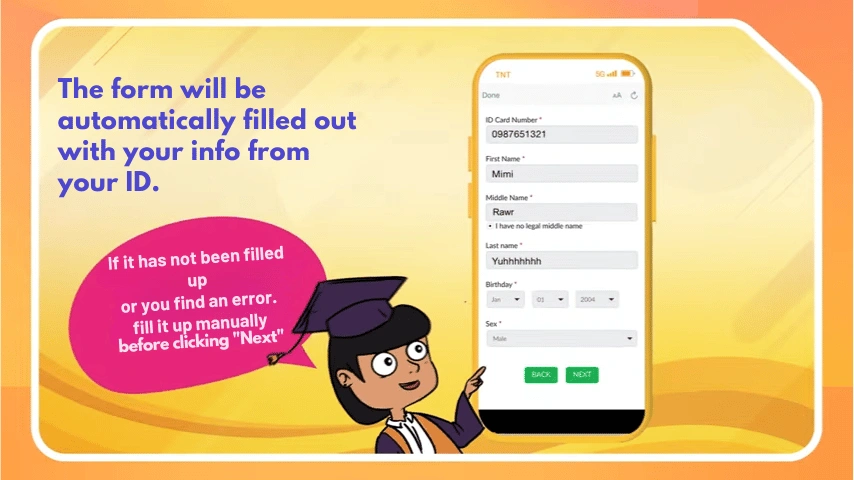
- Click Next to proceed to the Summary page.
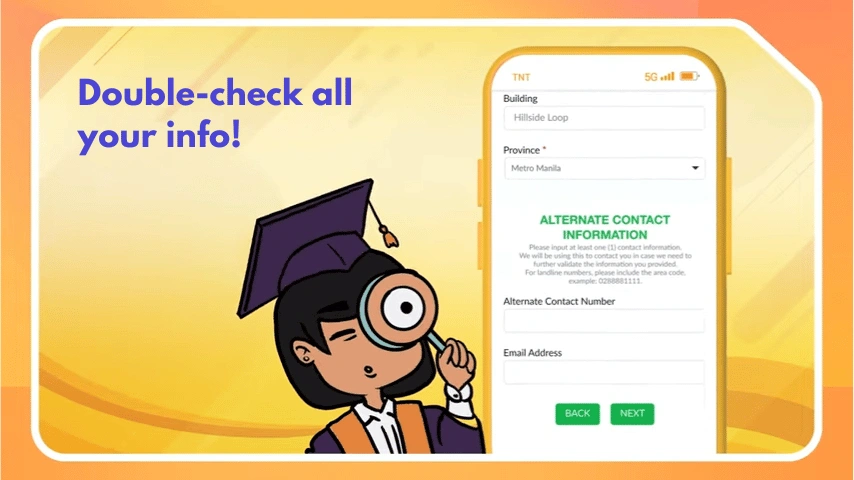
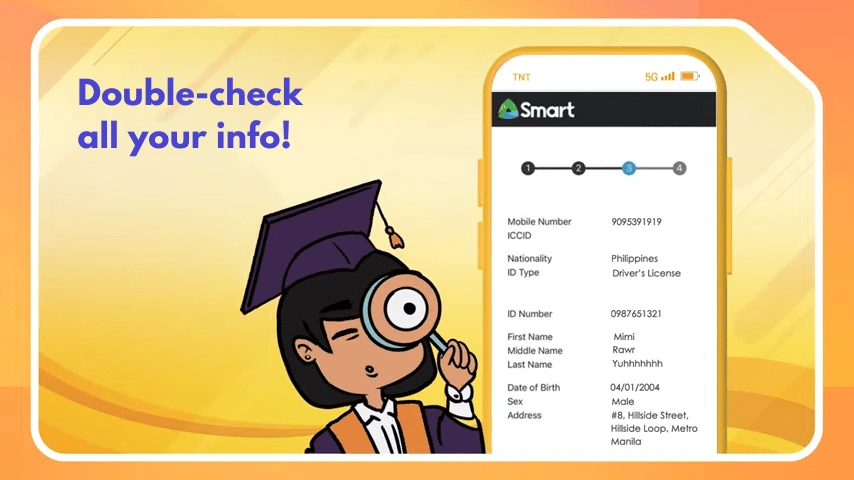
- Review all the information carefully and make sure everything is correct.
- Check the box confirming that you personally completed the registration, then click Submit.
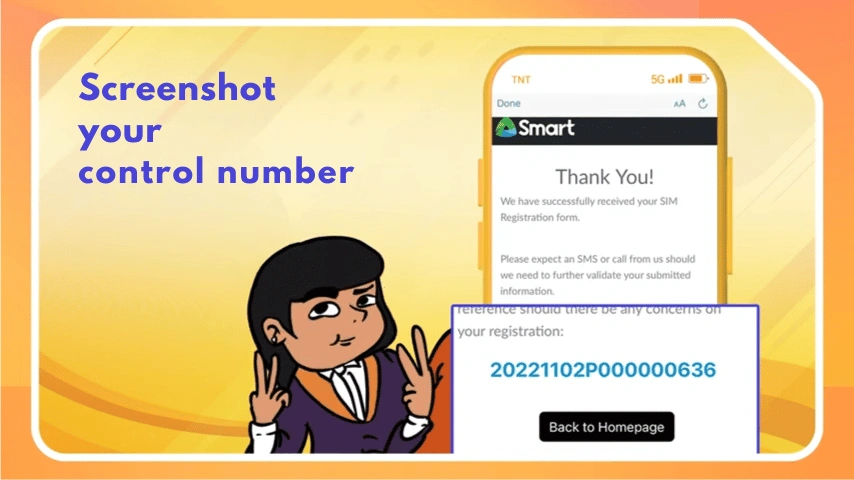
- ”Save your control/reference number as proof of registration.
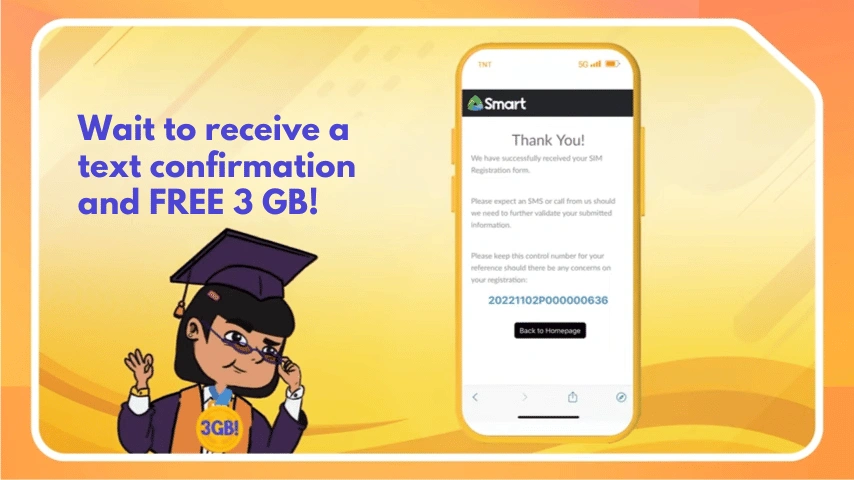
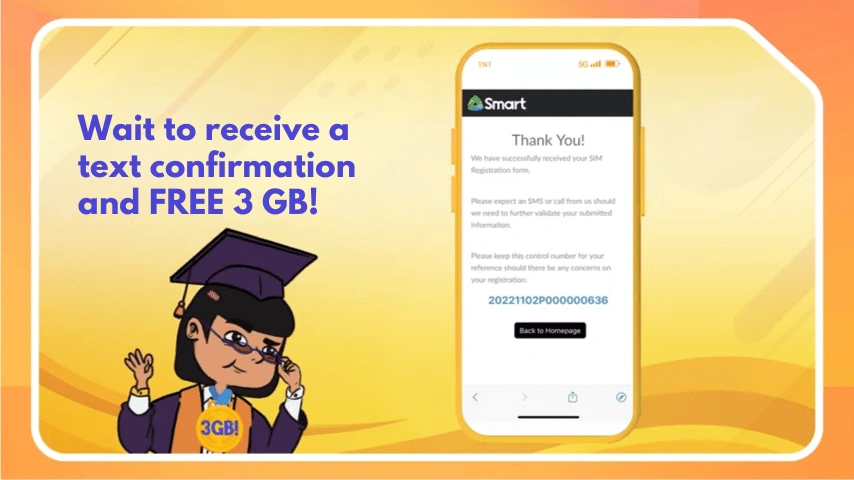
- “Congratulations, you have successfully registered your SIM. wait to get 3 GB data upon succesful registration.
TNT SIM Registration Through Smart App
The Smart website is the official and primary platform for SIM registration. Users may also initiate the registration process through the Smart app; however, the app only provides a registration link that redirects users to the Smart website. Unlike the GlobeOne app, the Smart app does not offer a separate, built-in SIM registration feature. This has been officially confirmed by TNT support.
When a user selects the SIM registration option within the Smart app, they are automatically redirected to the Smart website to complete the registration process. We’ve discussed the registration method in website tab.
TNT SIM registration through Smart Store
If you are not tech-savvy, you can register your TNT SIM by visiting the nearest Smart Store. Simply get an appointment and make sure to bring any valid government ID with your name and signature po.
This option is also ideal for users who do not use smartphones and rely on keypads or basic mobile phones. In such cases, visiting a Smart Store is the best way to complete SIM registration.
Note: You can’t register your SIM through text or a chatbot. This has been confirmed by TNT customer support.
Get free DATA on SIM Registration
Upon successful SIM registration
You’ll get:
- FREE 3GB Data
- + 3GB for TikTok
- + 10 minutes calls to all networks
- + 100 texts to all networks
Accepted Valid Government-Issued IDs
- Philippine Identification (National ID)
- Passport
- Driver’s License
- Social Security System (SSS) ID
- Government Service Insurance System (GSIS) E-Card
- Unified Multi-Purpose Identification (UMID) Card
- PhilHealth ID
- Bureau of Internal Revenue (BIR) ID
- Voter’s ID
- Senior Citizen’s Card
- Person with Disabilities (PWD) Card
- National Bureau of Investigation (NBI) Clearance
- Police Clearance
- Firearms License to Own and Possess ID
- Professional Regulation Commission (PRC) ID
- Integrated Bar of the Philippines (IBP) ID
- Overseas Workers Welfare Administration (OWWA) ID
- Other valid government-issued ID with photo
TNT SIM Registration Requirements
For Filipino Citizens (Philippine Nationals)
Filipino citizens are required to provide basic personal information and a valid government-issued ID to register their TNT or Smart SIM card.
- Mobile Number with Serial Number
- Enter your mobile number starting with 9 (skip the country code +63).
- Example: 917XXXXXXXX
- The SIM serial number will be provided by SMART/TNT.
- Full Name
- Enter your first name and last name exactly as it appears on your valid ID.
- Date of Birth (DOB)
- Provide your accurate birth date in MM/DD/YYYY format.
- Complete Address
- Include your house number, street, city, and province.
- Make sure it matches any proof of address if requested.
- Sex / Gender
- Select your gender as listed on your valid ID.
- Nationality
- Required field; for example, select Philippines if you are Filipino.
- Valid Government-Issued ID
- Upload clear images of front and back of a valid ID.
- Make sure your ID is not expired.
- Live Selfie Verification
- Take a clear, well-lit selfie for identity verification.
- Ensure your face matches your ID photo.
- OTP Verification
- Click Send OTP and enter the One-Time Password sent to your mobile.
- OTP expires in 2 minutes; click Resend OTP if needed.
- Final Review & Submit
- Carefully review all your information.
- Tick the confirmation box and click Submit.
- You will receive a confirmation message once your SIM is successfully registered.
SIM Card Registration Requirements for Foreign Nationals in the Philippines
Foreign Nationals are required to provide specific information when registering their SIM cards throughsmart.com.ph/simreg. Accurate information is mandatory as the registered person will be legally responsible for the SIM card.
Information Required from All Foreign Nationals
- Mobile Number with Serial Number – The serial number provided by the telco (SMART, Globe, DITO).
- Full Name – As per your passport or official document.
- Nationality – Country of citizenship.
- Date of Birth – As shown in your passport.
- Selfie Photo – A clear photo of yourself for verification purposes.
Additional Requirements for Foreign Tourists
If you are visiting the Philippines on a tourist visa, the following documents must also be provided:
- Passport – Valid passport for identification.
- Proof of Address in the Philippines – Hotel, Airbnb, or temporary accommodation address.
- Return or Onward Ticket – A flight or travel ticket showing your departure date and time from the Philippines.
Note: SIM cards issued to tourists are valid for 30 days only. They will automatically deactivate upon expiration. Extension is possible only if you present an approved visa extension.
Additional Requirements for Foreign Nationals with Other Types of Visas
Foreigners staying longer or working/studying in the Philippines (e.g., with Alien Employment Permit, SRRV, 13a visa, student visa) need to provide:
- Passport – Valid identification.
- Proof of Address in the Philippines – Home or residence address.
- Alien Employment Permit (AEP) – Issued by the Department of Labor and Employment (DOLE) for employees.
- Alien Certificate of Registration Identification Card (ACR I-Card) – Issued by the Bureau of Immigration (BI).
- School Registration and ID – For students enrolled in Philippine educational institutions.
- Other Applicable Documents – Any other official documents supporting your visa type or stay in the Philippines.
For Persons of Concern (POCs)
Provide the Type of Travel or Admission Document you presented upon entering the Philippines.
Note:
SIM cards issued to tourists are valid for 30 days only.
The SIM will automatically deactivate after expiration unless a valid visa extension is presented.
Who should register their SIM?
1 New users
Newly purchased SIM cards must be registered before activation.
2 Foreigners
Foreign nationals in the Philippines must register their SIM cards under RA 11934, using a valid passport or government-issued ID.
3 Minors
Minors can have their SIMs registered, but a parent or guardian must assist and provide consent. During registration, select “Registering a SIM for a minor” in the registration type.
4 Existing TNT users
Any unregistered or non-compliant SIM must be registered to continue using calls, SMS, and mobile data.
5 International Visitors & Tourists
International visitors and tourists in the Philippines are also required to register their TNT SIM cards. Registration is typically done using a valid passport, and the SIM may be subject to limited validity based on the duration of the visitor’s stay, as required under RA 11934.
6 Government and Private Entities
Government offices and private companies that use TNT SIM cards for official or business purposes must also complete SIM registration. The process is similar to individual registration but may require additional documents, such as:
- Company or agency authorization
- Valid government-issued ID of the authorized representative
- Other documents as required by Smart/TNT
How to Upload Your ID Card Correctly
If you encounter any issues while uploading your ID, make sure to follow the image guideline.
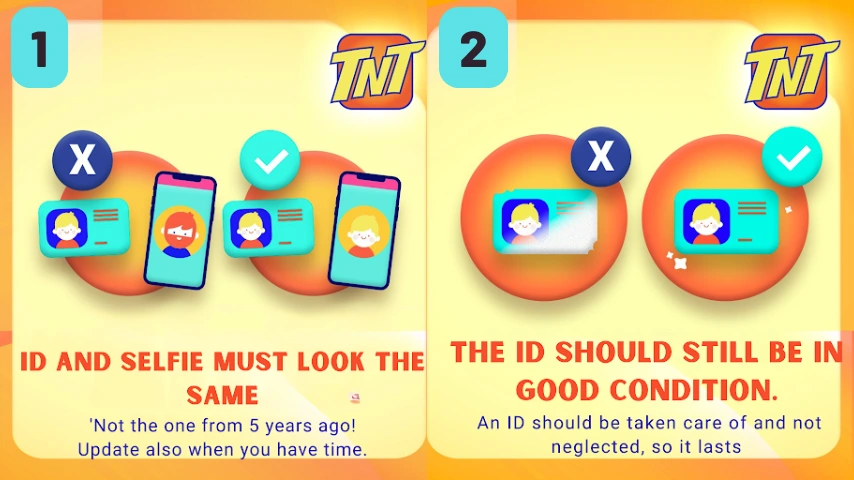
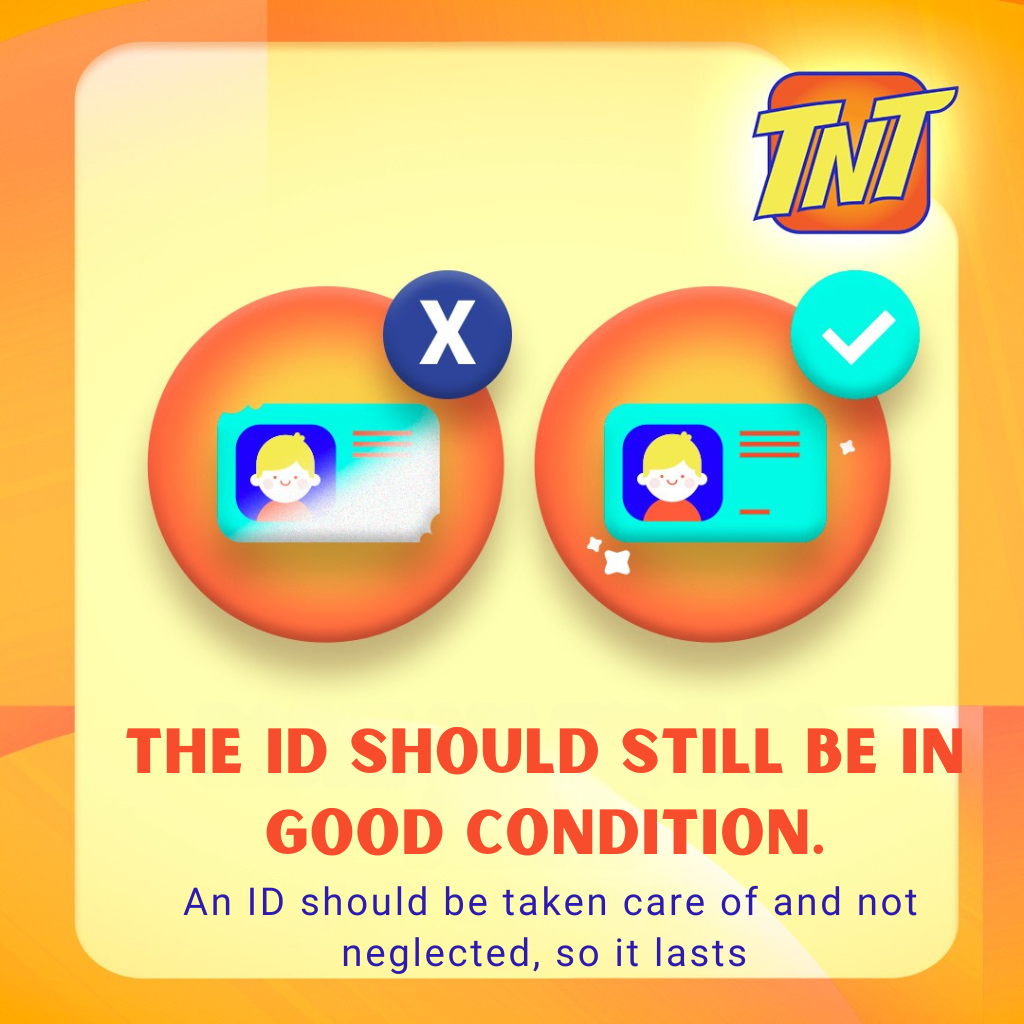
Having trouble taking a selfie? Refer to the images below to see the common mistake versus the correct way to upload it.
FAQs
TNT Customer Service Hotline
For assistance with TNT SIM registration, promos, or account-related concerns, you may contact TNT through the following official channels:
- Facebook:https://www.facebook.com/TNTph
- Landline: (02) 8888 1111
Mobile Hotline: *888 (for TNT/Smart subscribers)